
Voxel Games
Voxel games build their worlds out of cubes. The loop is familiar from block-building sandboxes: break a block to collect a resource, place blocks to build, then spend what you gathered on tools, gear or a bigger base. This page collects three free browser versions that run without a download or an account. 3 games are playable now.
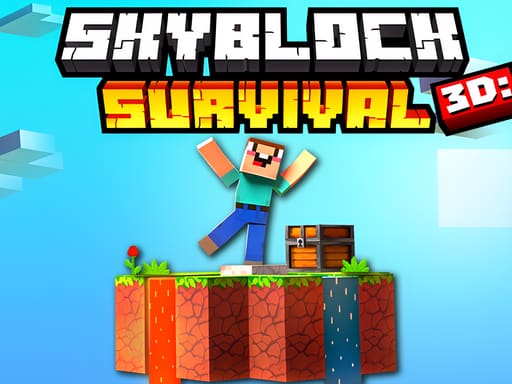
The floating-island anchor: jump between sky islands, mine each one's resource, craft gear and trade with villagers to keep the run going.
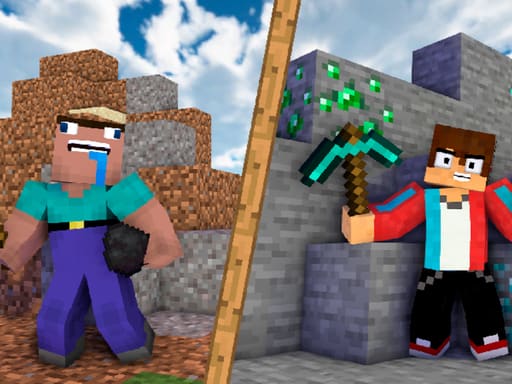
Mine Mining Islands: Skyblock Village!
The progression pick: dig for resources, sell them, upgrade your character and village, and unlock new islands as you grow.
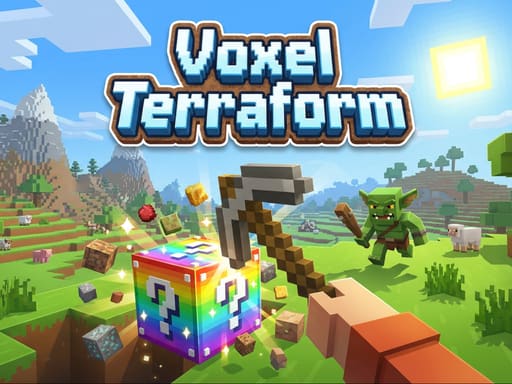
Voxel Terraform
The pure sandbox: explore biomes, mine and craft, build without a quest, then fight the mobs and bosses that appear.


The shelf splits into three honest shapes. Skyblock 3D: Survival is the floating-island version: every island carries a different resource, and between mining trips you craft, fight monsters, trade with villagers and keep a food supply going. Mine Mining Islands: Skyblock Village! leans on progression — dig, sell resources, upgrade your character and village, and open new islands. Voxel Terraform is the plainest sandbox: explore biomes, mine, craft tools and armour, build freely and fight the mobs and bosses that show up.
All three are cataloged for desktop and mobile and use landscape orientation; complex builds are easier with a keyboard and mouse, and the provider declares touch controls for phones. Our hands-on pass confirmed all three run at desktop and mobile-landscape sizes; portrait is cropped on each, so play sideways. Each game page states its controls, orientation and estimated session length before you press Play.
At a glance
Scroll the table sideways to see every column →
| Game | Difficulty | Typical session | Devices |
|---|---|---|---|
| Skyblock 3D: Survival | Medium | ~8 min | desktop + mobile |
| Mine Mining Islands: Skyblock Village! | Medium | ~8 min | desktop + mobile |
| Voxel Terraform | Medium | ~7 min | desktop + mobile |
About Voxel Games
What voxel games are
A voxel game builds its world from cubes. The verb at the centre of the genre is simple — break a block to gather what it is made of, then place blocks to shape the space around you — and everything else grows from that pair: tools made from gathered materials, gear that lets you survive longer, structures you raise block by block, and enemies that appear once you leave the starting area. The three games on this shelf all run that loop in a browser, free and without an account.
That shared grammar is useful before you choose. A player who has never opened a cube-world game can start with any of the three and recognise the same first moves: look around, find a tree or a rock, collect material, open an inventory, craft something. What changes between them is the frame around the loop — survival on floating islands, a mining economy with a village to grow, or an open sandbox with biomes and bosses.
The shelf is deliberately not a category dump. It holds three browser versions that all declare desktop and mobile support and all use landscape orientation, so the page is a short, checked list rather than a claim that every block game is equivalent.
The skyblock pair: survival and village progression
Skyblock 3D: Survival is the floating-island version. Each island in the sky carries a different resource, so the loop is to travel between them, mine what each one holds, and bring it back to craft tools, fight monsters, trade with villagers and keep a food supply going. The source also describes plantations and animal breeding, which is the honest way of saying the survival layer has a farming side once the first gathering trips are done. Desktop controls follow the familiar pattern — WASD to move, Space to jump, left mouse to break a block, right mouse or F to place one, E for the inventory — and the provider declares a mobile layout with a left joystick, on-screen jump and block buttons, an orange inventory button and a purple pause button.
Mine Mining Islands: Skyblock Village! takes the same cube-world material and points it at progression. You dig through islands for resources, sell what you gather, and spend the proceeds on better tools, character upgrades, a stronger village and new islands to open. The source frames the goal as becoming the village mayor and the richest player, with residents to bargain with, achievements tied to blocks destroyed and islands unlocked, and gold as the working currency. Its controls are the same family as Skyblock 3D — WASD or arrow keys to move, Space to jump, the mouse to look and left mouse to break — with a mobile set built around a left joystick, an on-screen tool button, a jump button and swipes to look around.
Read together, the pair covers the two moods people bring to a survival sandbox: Skyblock 3D for the fantasy of surviving on isolated islands, Mine Mining Islands for the satisfaction of turning gathered materials into steady upgrades. Both are cataloged Medium, so neither is presented as a first-ever game for a young child; both expect a player to read a small set of controls before the loop opens up.
The pure sandbox: Voxel Terraform
Voxel Terraform is the plainest of the three. The source describes an open cube world with biomes to explore, resources to mine, tools and armour to craft, blocks to build and destroy, and mobs and bosses to fight — but it does not hang the loop on a quest line or a village economy. That makes it the member to pick when you mainly want to wander, shape the ground and see what the world does when you push into it.
Its control scheme is the most compact on the page: WASD to move, left mouse to destroy a block, right mouse to interact, and Esc or Tab for the menu. On mobile the provider declares a left stick for movement with the right side of the screen handling looking around and actions. The honest consequence is that the simple input map puts more weight on the player's own goals: with no explicit objective in the source description, the first session is about learning what the world reacts to rather than following a marker.
That is not a flaw, but it is a difference worth stating. The skyblock pair give a player a reason to gather — survive, upgrade, open the next island — while Voxel Terraform gives a player the tools and lets the reason come from them. If you already know you like open sandboxes, start here; if you want a directed first hour, start with one of the other two.
Choosing, devices and honest caveats
Choose by the loop you want. For survival on floating islands with crafting, trading and farming, start with Skyblock 3D: Survival. For mining, selling and steady character and village upgrades, choose Mine Mining Islands: Skyblock Village!. For an open world with biomes, building and bosses but no imposed quest, choose Voxel Terraform. If the cube-world look is incidental and you mainly want the arcade shelf around it, the arcade collection is the broader neighbour.
On devices, all three are cataloged for desktop and mobile and all three use landscape orientation. A keyboard and mouse make complex building easier; on a phone the provider declares touch controls, but the honest note from our hands-on pass is that portrait is cropped on all three, so rotate the device or play fullscreen. None of the three needs an account or a download, and each game page lists its controls and orientation before Play.
Two boundaries belong on the page. First, these are independent voxel and block-building games; nothing here claims any affiliation with a well-known cube-world franchise, and the look of the genre is not a licence. Second, this page does not promise session lengths, frame rates or a specific performance level, because none of those numbers is stated in the source material. The usual third-party accessibility caveat also applies — keyboard navigation, screen-reader labels, pause behavior and reduced-motion settings may not be exposed by the provider's build — so check the game page and the provider's own options before relying on them.
Frequently asked questions
Are these voxel games free and playable without a download?
Yes. Every game on this page runs free in the browser on desktop and mobile, with no download and no account. Progress stays inside the game session or the provider's own save, so closing the tab ends that run unless the game saves it.
Are these Minecraft games?
No. They are independent voxel and block-building games with their own worlds and rules; this page does not claim any affiliation with Minecraft or its owners. If you want the cube-building loop without installing anything, these run in the browser.
Which voxel game should I start with?
Start with Skyblock 3D: Survival if you want the classic floating-island loop, or Mine Mining Islands: Skyblock Village! if you prefer steady upgrades and village building. Choose Voxel Terraform if you mainly want to explore and build in an open cube world.
Do these voxel games work on a phone?
All three are cataloged for desktop and mobile and all three use landscape orientation. Desktop uses WASD, the mouse and hotkeys; on a phone, rotate to landscape - our hands-on pass found all three crops the frame in portrait.